
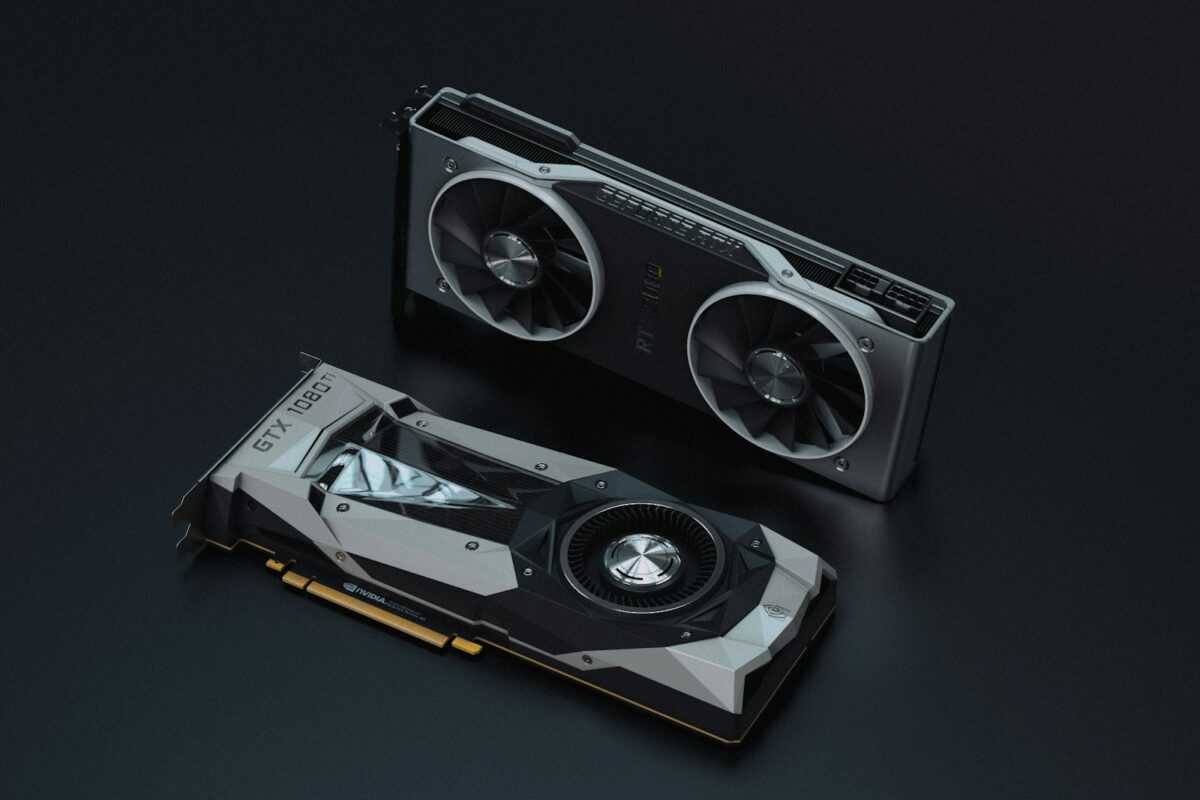
Constructing a custom GPU mining rig requires precise assembly and a deliberate setup process to maximize cryptocurrency mining performance. This tutorial offers detailed instructions on selecting compatible hardware, optimizing cooling solutions, and efficient assembling techniques. Whether you are building your first rig or upgrading existing equipment, understanding the nuances of GPU overclocking and hardware configuration directly impacts hash rates and long-term stability.
This comprehensive guide focuses on building a miner rig tailored to your specific goals, highlighting best practices for component selection, rig frame construction, power distribution, and cable management. Cooling optimization is addressed with practical steps for airflow management to prevent thermal throttling during extended mining operations. The instructions include actionable insights on BIOS tweaks and software tools to fine-tune GPU performance, balancing energy consumption with output.
Incorporating real-world case studies, this guide demonstrates how advanced miners have increased profitability through custom setups, particularly in volatile cryptocurrency markets where hardware efficiency is paramount. Security considerations are woven throughout, stressing the importance of firmware updates and protecting your rig from vulnerabilities. Follow these steps carefully to achieve a high-performance mining rig capable of adapting to future crypto trends and evolving optimization techniques.
Step by Step GPU Mining Rig Build
Begin constructing your custom GPU mining rig by selecting a stable frame with adequate airflow to support multiple GPUs and essential cooling hardware. Prioritize open-air frames that facilitate heat dissipation during extended mining sessions. Securely mount your GPUs on riser cables, ensuring proper spacing to avoid thermal throttling. A full guide on assembly recommends using PCIe risers of at least version 1x to maintain miner performance without bottlenecks.
Assemble the motherboard onto the frame and connect power supplies with high efficiency ratings–preferably 80 Plus Gold or Platinum–to handle the cumulative load from your GPUs and peripherals. Use modular PSUs for neat cable management, which aids cooling and reduces electrical interference. For optimal hardware setup, install a quality CPU cooler even if mining primarily depends on GPUs, as undervolted CPUs contribute to stability during overclocking.
During assembly, carefully route all power and data cables to maintain airflow and prevent damage. Follow detailed instructions on BIOS configuration for cryptocurrency mining, such as disabling onboard audio and unused ports to streamline system resources. After hardware assembly, load your mining operating system and benchmark each GPU individually to identify baseline performance metrics before applying optimization techniques.
Implement overclocking stepwise, adjusting core clocks and memory speeds while monitoring temperatures to avoid hardware degradation. Precision in voltage tuning directly affects mining stability and hash rates. Incorporate custom fan curves and additional cooling solutions, like strategically positioned case fans or external cooling setups, to maintain GPU temperatures below 70°C during continuous mining operations.
Final setup involves integrating mining software tuned to your specific GPU model and mining algorithm, completing the full tutorial on rig assembly and optimization. Monitor performance metrics remotely and apply incremental adjustments to balance power consumption with hashing efficiency. This approach ensures a reliable rig capable of sustained cryptocurrency mining, combining detailed assembly, careful overclocking, and proactive thermal management within a custom-built environment.
Choosing Compatible Hardware Components
For a successful full setup when building a custom GPU mining rig, selecting compatible hardware components is fundamental to performance and stability. The motherboard is the central piece in assembling a miner; choose one with sufficient PCIe slots to accommodate your planned number of GPUs, ideally with native support for mining to avoid riser compatibility issues. Models like the ASRock H110 Pro BTC+ or MSI Z390-A Pro are widely used due to their proven ability to handle multiple GPUs simultaneously without power or bandwidth bottlenecks.
GPUs must match both the motherboard’s slot availability and the power supply unit’s (PSU) capacity. Opt for mining-optimized GPUs such as the Nvidia RTX 3060 Ti or AMD Radeon RX 6800 XT, which offer competitive hash rates balanced with power efficiency. Confirm that your PSU delivers adequate wattage, accounting for the power draw of all GPUs plus overhead for cooling and additional peripherals; a 1200W gold-certified PSU typically supports six mid-range GPUs with stable performance.
Risers play a critical role in hardware assembly by extending PCIe lanes from the motherboard to the GPUs. Select powered risers with USB 3.0 connectors that meet PCIe Gen 2 x1 or better standards to maintain stable data transfer and mitigate thermal risks. Proper cabling and connector quality directly impact the rig’s continuous operation, affecting overall mining uptime.
In terms of cooling, integrating robust airflow solutions is non-negotiable. Use high-CFM intake and exhaust fans strategically positioned around the rig frame to maintain optimal GPU temperatures during extended mining sessions. Closed-loop liquid cooling can be considered for overclocking scenarios aiming for maximum performance, but air-based cooling setups provide a practical balance of ease and efficiency in a custom mining rig assembly.
Memory and storage components should meet minimum specs for mining operating systems: a lightweight SSD of at least 120GB ensures reliable boot times and smooth operation of mining software. RAM capacities of 8GB suffice unless running additional software that demands more resources.
When constructing your mining rig, always cross-check component compatibility using detailed manufacturer specifications and community-verified assembly tutorials. This approach reduces downtime caused by hardware conflicts and streamlines optimization during overclocking and mining operations. Staying updated with hardware trends, such as the release of GPUs supporting improved hashing algorithms, enhances miner longevity and profitability in the cryptocurrency landscape.
Assembling The Mining Rig Frame
Start assembling your custom GPU mining rig frame using a sturdy open-air frame constructed from materials like aluminum or steel, which provide durability and effective heat dissipation. A detailed guide recommends selecting a frame size that accommodates your chosen number of GPUs with at least 2-3 cm clearance between each card to maximize airflow. Ensure the frame includes mounting points for the motherboard, power supply units, and risers, enabling a secure and clean setup.
Follow precise instructions to fasten each component onto the frame, preventing vibrations that could affect hardware longevity and mining performance. Use anti-slip pads under the frame to reduce noise and mechanical impact. Incorporate adjustable brackets or rails that allow for future hardware adjustments or expansions without full disassembly, critical for optimization during overclocking and performance tuning.
For cooling optimization, position multiple high-CFM fans strategically on the frame to facilitate unidirectional airflow–from intake fans at the front to exhaust fans at the rear or top–thus preventing heat accumulation around GPUs. When constructing the frame, allocate space not only for fans but also for cable management to avoid obstructing airflow pathways, a factor that directly impacts mining rig stability and efficiency.
This tutorial emphasizes securely mounting riser cards onto the frame sections to ensure stable connections between GPUs and the motherboard. Proper assembly of the frame underpins overclocking capabilities by maintaining hardware temperatures within safe thresholds, enabling consistent mining operation without throttling or hardware damage. Assemble your mining rig frame with focus on structural integrity and cooling support to harness maximum cryptocurrency mining performance and rig lifespan.
Configuring Mining Software Settings
Maximise mining rig performance by fine-tuning mining software parameters after careful assembling and cooling setup. Precise configuration of GPU intensity, thread concurrency, and power limits directly impacts hash rates and energy efficiency, especially crucial for a custom-built rig targeting full cryptocurrency output.
Begin with setting stable overclocking values within the mining software to elevate GPU clock speeds while monitoring temperature thresholds to prevent hardware degradation. For instance, undervolting combined with a moderate core clock increase (+50 to +100 MHz) and higher memory clocks (+500 MHz) frequently yields optimal results on common GPUs like the NVIDIA RTX 3060 or AMD RX 6800.
Key Mining Software Settings to Adjust
- Intensity/Threads/Worksize: Adjust based on the GPU model and driver for maximum utilization without causing system crashes.
- Power Target: Lower power limits to balance efficiency and performance, often around 70-80% of default power for mining algorithms.
- Temperature Limits: Set a hard ceiling (e.g., 70°C) in the miner to automatically throttle or pause mining to protect GPU lifespan.
- Fan Speed Control: Automate or manually configure fan curves within software for efficient cooling aligned with load demands.
- Pool Configuration: Enter multiple mining pools with failover options to secure uptime and avoid penalties during downtime.
Practical Setup Tips
- Test initial parameters individually on a single GPU before full rig deployment to prevent mass failures during assembly.
- Incorporate remote monitoring tools compatible with your mining software to track realtime performance and temperatures.
- Regularly update mining software to leverage improvements in algorithms and security patches, which impact profitability and rig stability.
- Maintain detailed logs during tuning sessions to identify which adjustments provide the best balance between hash rate and energy consumption.
Building on an expertly assembled hardware foundation, a comprehensively configured miner delivers stable returns and extends the lifespan of expensive GPUs by mitigating thermal and power stress. This guide section integrates into full instructions for constructing a custom mining rig, ensuring each step–from assembling to real-time tuning–is optimized for continuous cryptocurrency mining success.