
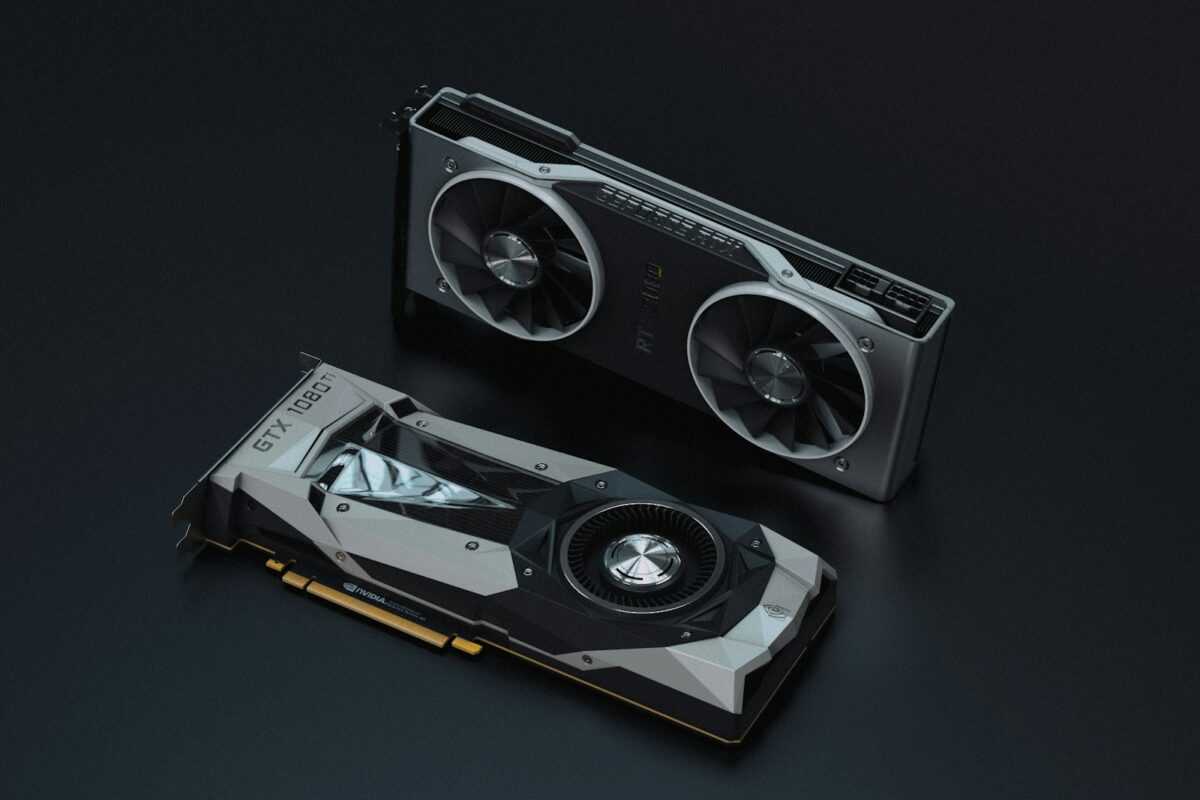
Constructing a low-budget 6-gpu mining rig requires a meticulous setup to ensure optimal power distribution and cooling efficiency. This guide provides detailed instructions on assembling a system that balances affordable hardware with reliable performance. From selecting cost-effective components to configuring the rig for maximum efficiency, each stepwise phase focuses on building a stable and scalable mining rig without compromising on quality.
Creating a six-gpu configuration demands careful attention to cooling to prevent thermal throttling during extended mining sessions. Effective airflow management combined with strategically placed fans allows the rig to maintain consistent temperatures, enhancing hardware longevity and overclocking potential. This tutorial highlights proven cooling solutions tailored for budget rigs, ensuring the mining system runs smoothly under load.
Power considerations are pivotal in assembling a mining rig; choosing a reliable PSU with ample wattage headroom is critical to avoid disruptions and maintain energy efficiency. This comprehensive guide plans the rig’s power requirements precisely, incorporating best practices to optimize performance while minimizing electricity costs. The instructions balance affordability with the necessity for a robust power system to support six GPUs simultaneously.
Overclocking plays a significant role in enhancing mining performance. Alongside hardware and cooling, the guide covers stepwise overclocking configurations, matching each GPU’s capabilities to prevent instability. Following these expert recommendations enables miners to maximize hash rates effectively within a tight budget, delivering excellent value without sacrificing rig durability.
Selecting Compatible Budget Components
For constructing a low-budget 6-GPU mining rig, prioritize motherboards with at least six PCIe slots supporting riser cables, such as the ASRock H110 Pro BTC+ or MSI Z390-A Pro. These offer reliable hardware compatibility while maintaining a manageable price point. Choose GPUs that balance power consumption and hashing performance; models like the NVIDIA GTX 1660 Super or AMD RX 580 provide solid mining efficiency without excessive heat output or power draw.
Power supply units (PSUs) must deliver continuous power with a safety margin of 20-30%. A single 1200W 80+ Gold certified PSU or dual 750W units can reliably sustain the six-GPU configuration. Opt for units with modular cables to reduce clutter and improve airflow. The system’s cooling setup should accommodate the increased heat load from simultaneous six-GPU operation. A combination of case fans with high CFM ratings and strategically placed exhaust vents optimizes efficiency, supporting stable overclocking and maximizing performance.
RAM and CPU selection should align with the mining rig’s primary function–consistent operation with minimal bottleneck. A basic Intel or AMD quad-core processor combined with 8GB of DDR4 RAM suffices. Emphasize compatibility to avoid assembly complications; confirm BIOS settings and riser cable certification before system setup to ensure smooth instructions follow the detailed stepwise tutorial for assembling the rig. This hardware foundation guarantees a stable, budget-oriented mining configuration tailored for long-term performance and efficiency.
Assembling and Wiring the Mining Rig
Begin by securing the frame for your low-budget 6-GPU rig, ensuring stability and optimal airflow. Position the motherboard firmly and install the CPU, RAM, and storage device following precise instructions to avoid hardware conflicts. Mount each of the six GPUs on the rig with sufficient spacing to promote efficient cooling, essential for maintaining performance during prolonged mining sessions.
For wiring, use quality riser cables to connect GPUs to the motherboard PCIe slots, enabling a reliable signal path and reducing bottlenecks. Arrange power cables systematically, linking the power supply units (PSUs) with GPUs and motherboard connectors according to the detailed 6-GPU configuration guide. Employ modular or semi-modular PSUs to minimize cable clutter and enhance system airflow, thereby improving overall rig efficiency.
Address cable management meticulously, bundling wires with reusable ties to prevent obstruction of cooling pathways. Implement a dedicated cooling setup with multiple fans directed to GPUs and VRMs, supplemented by strategic intake and exhaust positioning. This comprehensive approach to cooling preserves hardware longevity and stabilizes hash rate during overclocking, maximizing mining performance within a budget framework.
Follow the stepwise tutorial for system power-on tests before full software installation. Verify GPU detection and monitor temperatures closely during initial runs. Fine-tune overclocking parameters gradually, balancing hash rate gains against power consumption and thermal thresholds documented during assembly. Constructing the rig with this thorough method ensures an affordable, efficient mining rig tailored for consistent, long-term 6-GPU mining operation.
Configuring BIOS and Software Settings for Optimal 6-GPU Mining Rig Performance
BIOS configuration is a pivotal step for constructing an efficient and affordable six-GPU mining rig. Begin by updating your motherboard BIOS to the latest stable version, ensuring compatibility with multiple GPUs and improved system stability. Disable features that may interrupt mining operations, such as Intel SpeedStep, C-States, and Secure Boot. Enable 4G Decoding and Above 4G PCIe settings to allow the system to properly address all six GPUs during assembly.
For a low-budget 6-GPU rig setup, adjusting PCIe slot speeds to Gen1 or Gen2 is recommended to reduce power draw and heat without sacrificing hash rate. This adjustment is particularly useful in budget configurations, mitigating costs and thermal issues associated with higher PCIe generations.
Stepwise Hardware and Software Configuration Instructions
- BIOS Setup:
- Update BIOS firmware to the latest version.
- Enable 4G Decoding/Above 4G PCIe.
- Disable unused onboard peripherals (audio, network controllers) to free resources.
- Set PCIe slots to Gen1/Gen2 speeds.
- Deactivate Secure Boot and Fast Boot options.
- Operating System and Driver Installation:
- Install a stable OS optimized for mining (Windows 10/11 or Linux distributions like HiveOS).
- Download and install the latest GPU drivers directly from the manufacturer.
- Configure GPU detection to avoid conflicts in a 6-GPU environment.
- Mining Software Setup:
- Choose software compatible with your GPU models and desired algorithm.
- Input mining pool addresses and wallet details accurately for consistent payouts.
- Apply miner configurations for optimal fan curve and power limits to balance cooling and efficiency.
Overclocking and Thermal Management for Efficiency
Overclocking settings have a direct impact on rig performance and power consumption. Use GPU-specific tools like MSI Afterburner or integrated miner settings to reduce core voltage and power limits by 20–30% while increasing memory clock speeds by 100–200 MHz. This approach elevates hash rate efficiency while managing heat output, crucial for the assembly of a budget system with a limited cooling setup.
Implementing custom fan curves avoids overheating during long mining sessions and extends hardware longevity. Positioning the rig in a well-ventilated area and using supplemental cooling, such as additional case fans or external USB-powered fans, ensures steady thermal conditions. This comprehensive system configuration enhances mining performance, reducing downtime and securing a return on investment within the framework of a stepwise tutorial for a budget-friendly 6-GPU mining rig.
Optimizing Power and Cooling Setup
To achieve stable operation and maximize performance in a 6-gpu mining rig, precise power distribution and effective cooling are paramount. Begin by selecting a power supply unit (PSU) that can continuously deliver at least 1200W with an 80 Plus Gold rating for improved energy efficiency. This ensures your hardware operates within safe voltage and current parameters, reducing thermal strain and minimizing power-related failures during overclocking.
When constructing the power setup, use dedicated 6-pin and 8-pin PCIe power connectors directly from the PSU. Avoid splitting cables, as this can cause voltage drops and instability. A detailed wiring diagram tailored for a six-gpu system aids in safely assembling the rig without overloading any single rail. Incorporate an uninterruptible power supply (UPS) if your budget allows, to protect against sudden power interruptions that risk hardware damage and data corruption.
Cooling Strategies for Affordable Six-GPU Configurations
Managing heat in a low-budget mining rig demands thoughtful airflow planning. Position the rig within a well-ventilated area and employ a strategic fan arrangement. Intake fans should be placed to draw cool air directly over GPUs and motherboard components, while exhaust fans expel heated air efficiently. For six GPUs spaced on an open frame, maintain at least 10 cm between cards to facilitate airflow and prevent thermal throttling.
Supplement the basic fan setup with aftermarket GPU coolers or undervolting techniques during overclocking to reduce heat output. Case fans running at 120mm with a minimum airflow of 70 CFM provide balanced noise and cooling performance. Monitoring temperatures with software tools enables you to fine-tune fan curves, maintaining both performance and hardware longevity.
Power and Cooling Configuration Tips
Integrate power and cooling optimization into your stepwise configuration process. Begin assembling your mining rig with a focus on cable management to prevent airflow obstruction. Use zip ties and cable sleeves to route power cables neatly. This directly impacts cooling efficiency and reduces hotspots.
Balance your system’s power draw and cooling by adjusting GPU clock speeds and voltage. Overclocking should be incremental with frequent system monitoring to find the sweet spot between performance and safe temperatures. Applying these instructions in a comprehensive manner transforms an affordable mining setup into a reliable and efficient six-gpu rig, maximizing returns over operational costs.