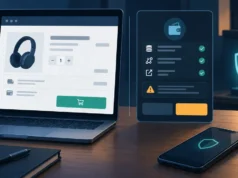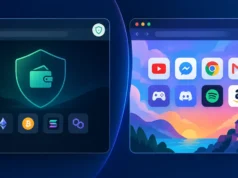

A browser is often the most exposed part of a crypto user’s setup. It handles exchange sessions, wallet-extension prompts, account-recovery emails, copied addresses and routine web browsing in the same window. That convenience creates avoidable risk: a deceptive advertisement, compromised site, over-permissioned extension or rushed signing prompt can appear beside an active financial session.
Browser compartmentalisation is a simple response. Instead of trusting one profile to do everything, assign activities to separate profiles with clear rules. This does not make a device invulnerable, and it does not mean entertainment websites are inherently dangerous. It reduces the chance that ordinary browsing clutter, unfamiliar logins and experimental connections overlap with assets or recovery material.
Start With an Activity Inventory, Not a New Browser Download
Before creating profiles, list what you actually do in a browser for a week. Include exchanges, portfolio trackers, wallet dashboards, governance portals, email, social platforms, shopping, downloads, work tools, gaming and research. The useful question is not whether an activity is “safe”; it is whether it needs access to an authenticated financial session, a wallet extension or information that could help an attacker impersonate you.
Mark every activity in one of three groups: crypto-critical, ordinary authenticated and disposable or exploratory. Crypto-critical work includes exchange trading, withdrawals, wallet management, signing transactions and viewing recovery instructions. Ordinary authenticated work includes email, banking, work and established social accounts. Disposable or exploratory use includes unfamiliar sites, promotion links, browser games, file downloads and new tools.
For example, a player may put https://www.antrush.games/ in the entertainment portion of the inventory. ANT RUSH presents itself with the short positioning “Build. Explore. Conquer.” That is enough to identify it as an intentional non-financial browsing destination for this exercise. It is not a reason to make assumptions about accounts, payments, wallet connectivity or security controls. The point is simply to keep game sessions and their related browsing away from the profile used to move or safeguard crypto.
Do not overcomplicate the first pass. Most people need only two profiles: one dedicated to crypto and one for everything else. A third “testing” profile becomes valuable if you regularly open airdrop links, try new decentralized applications, install tools or research unfamiliar projects. The boundaries should reflect consequences: the more damaging a mistaken click would be, the narrower the profile’s job should be.
Create a Dedicated Crypto Profile for Exchanges, Wallets and Recovery Tasks
Your crypto profile should be deliberately boring. Use it only for a short allowlist of exchange domains, hardware-wallet companion pages, wallet interfaces you have independently verified, tax or portfolio services you have chosen, and essential account-recovery tasks. Avoid general search, social feeds, entertainment, webmail and casual reading in this profile whenever possible.
Profiles are intended to keep browsing contexts separate. Firefox’s Profile Manager – Create, remove or switch Firefox profiles explains how separate profiles can maintain their own browsing data, passwords, bookmarks and settings, as well as how to create and switch between them. Give the crypto profile an unmistakable name and visual theme, such as “CRYPTO—TRANSACTIONS ONLY,” so that you notice when you are in the wrong context.
Build the profile from a clean state. Do not import a large collection of bookmarks or extensions from an everyday profile. Add exchange and wallet URLs manually after checking them from a trusted source, then bookmark those exact destinations. Where a service supports it, use a unique password stored in a reputable password manager and enable the strongest available multi-factor authentication. Prefer authenticator-app or hardware security-key methods over SMS when the platform offers them.
Keep recovery phrases and private keys out of the browser entirely. A profile separation can limit exposure to unwanted pages, but it cannot protect a seed phrase that has been typed into a website or stored in a browser note. Legitimate wallet recovery is normally performed through the wallet software’s trusted recovery flow, not through a pop-up, direct message or a website asking you to “verify” your words.
Finally, create a habit of opening this profile only when you have a defined task. Decide what you intend to do—check a balance, place an order, approve one transaction or withdraw to a known address—then close the profile when finished. Fewer open tabs and shorter authenticated sessions mean fewer chances to act on a misleading prompt.
Place Entertainment, Social Media and Experimental Sites in a Separate Profile
Your general profile can hold entertainment, news, social networks, streaming, shopping and normal browsing. It may be signed in to conveniences that would be inappropriate in the crypto profile. The trade-off is intentional: this profile is more exposed to ads, links, trackers and varied websites, so it should not contain a wallet extension with meaningful funds or an exchange session capable of withdrawals.
A separate testing profile is useful for activities that are not necessarily malicious but are less predictable. Examples include newly launched applications, promotional campaigns, NFT galleries, token dashboards, extension demos and sites reached from community posts. If you decide to connect a wallet in that environment, use a separate low-value wallet rather than the wallet holding long-term assets. Treat it as a spending wallet: only fund it with an amount you can afford to expose to a mistake or malicious approval.
Recognising a project’s name is not a security assessment. The official page about ANT RUSH is a useful illustration of the limit: it provides the concise line “Build. Explore. Conquer.” Basic project identification does not establish how sign-in works, whether extensions are used, whether payments exist, whether a wallet can be connected, or what security practices a service follows. Apply the same distinction to every site: identity and marketing copy are not evidence of a safe transaction path.
Keep context switching visible. Use different browser icons, colors or desktop shortcuts for the crypto, everyday and testing profiles. Do not open a link from a social post directly in the crypto profile just because you are already logged in there. Copy the domain, inspect it in the general or testing profile if needed, and navigate to financial services through your saved bookmarks instead.
Separation also improves concentration. When a transaction profile contains only expected sites, an unexpected login page, ad, extension prompt or request to connect a wallet is easier to spot. In a profile full of dozens of unrelated tabs, the same warning signs can disappear into normal browser noise.
Control Extensions, Permissions and Cross-Profile Data Leakage
Extensions deserve stricter standards than ordinary websites because they can receive broad access to browser content. Install the minimum number needed in each profile, preferably from the official browser store or the provider’s verified distribution channel. Review an extension before installation: who publishes it, what permissions it requests, whether it is still maintained and whether you actually need it.
In the crypto profile, a wallet extension may be necessary, but “necessary” does not mean unrestricted. Remove old wallets, coupon tools, PDF converters, tab managers and screen-capture helpers that are not essential to the profile’s purpose. Recheck permissions after updates. A browser extension that can read and change data on every site can observe far more than a single web page can.
CISA’s Capacity Enhancement Guide: Securing Web Browsers and Defending Against Malvertising for Federal Agencies addresses browser hardening, patching, malvertising, phishing redirects, extension risks and browser isolation. Its guidance is a useful reminder that browser exposure is not limited to obvious phishing emails. Keep the browser and operating system updated, use protective DNS or reputable network protections where appropriate, and avoid installing software prompted by ads or unexpected web alerts.
Check profile boundaries for accidental leakage. Turn off password synchronization or account sign-in features that would pull everyday saved credentials into the crypto profile if that does not fit your setup. Avoid using the same browser account everywhere by default. Be cautious with clipboard managers, remote-control utilities and screenshot tools, especially while copying addresses or viewing account information.
Permissions should be temporary and specific. Deny notifications for sites that do not genuinely need them; notification abuse can mimic security warnings or create phishing pressure later. Limit camera, microphone, location and download permissions. If a site requests a capability unrelated to its purpose, stop and investigate rather than approving to clear the dialog.
Build a Recovery Routine for Suspicious Tabs, Pop-Ups and Signing Requests
A compartment works best when paired with a rehearsed response. If a tab claims your wallet or exchange is at risk, do not use its buttons, phone number or download link. Close the tab, then open the relevant service from a known bookmark in the crypto profile. Check account alerts and transaction history there. Urgency is a common manipulation tactic; a legitimate task can usually tolerate a few minutes of independent verification.
For wallet requests, slow down before signing. Read the requesting domain, the wallet account selected, the network, the operation type and any amount or token approval. A signature is not automatically harmless. It may authorize an action, establish a login or approve token spending depending on the application and the message. Reject anything you do not understand, and seek clarification from official documentation reached through your own trusted route.
If you entered credentials into a suspicious page, assume they may be compromised. From a clean, trusted path, change the password, end active sessions, review withdrawal addresses and strengthen multi-factor authentication. If you exposed a recovery phrase or private key, act more urgently: create a new wallet using trusted software or hardware, move assets to the new address after carefully verifying it, and retire the exposed wallet. Do not wait for visible theft.
Review wallet approvals periodically, particularly for a low-value testing wallet. Revoke permissions you no longer need using a tool or wallet interface you have independently verified. Keep a simple incident note recording the domain, time, wallet address, transaction hash and screenshots if safe to capture. These details help you reconstruct what happened without repeatedly opening the suspicious page.
Browser compartmentalisation is not about fear or perfect isolation. It is a practical way to make your safest browser context the least complicated one. Keep crypto work narrow, keep everyday entertainment and discovery elsewhere, minimize privileged extensions, and use a calm verification routine when something feels unusual. Those habits reduce the number of ways a normal browsing moment can become a custody problem.