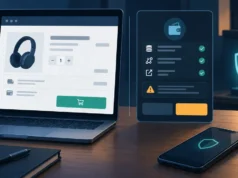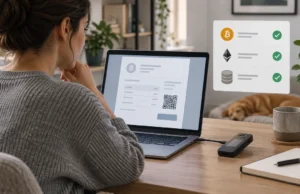
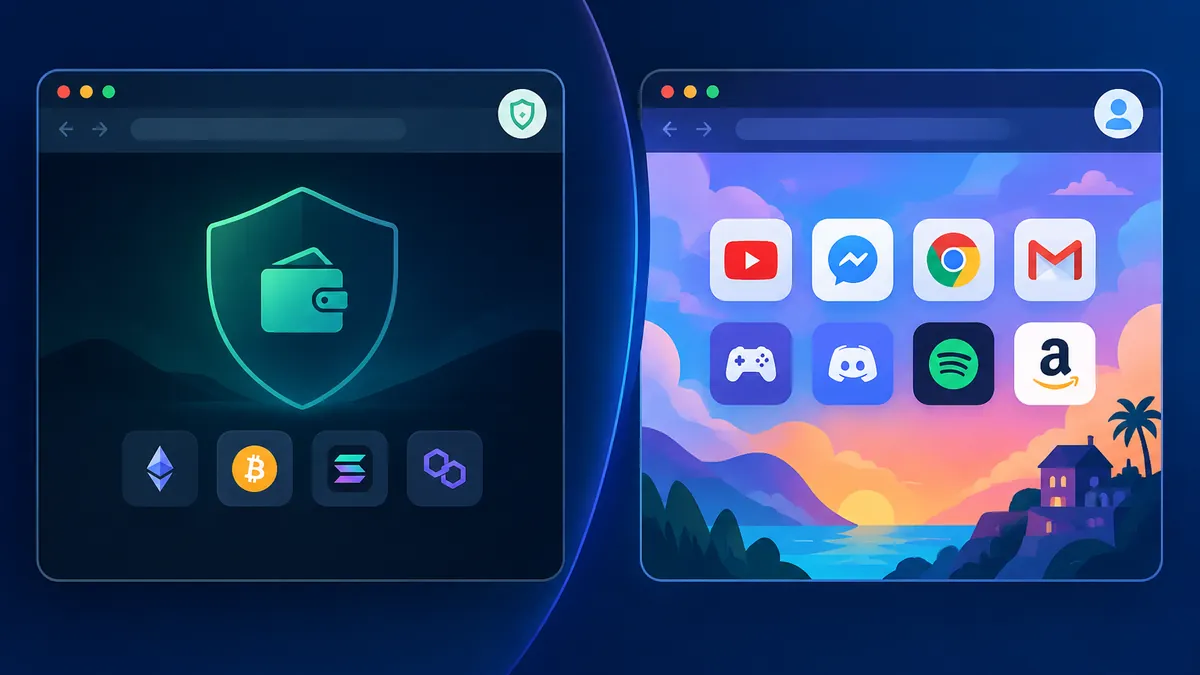
For a crypto user, a browser is not simply a window onto the web. It may hold an active exchange session, a wallet extension, saved passkeys or passwords, transaction records, downloaded statements and the browsing history that reveals which services you use. Treating all of that as part of the same environment used for casual searches, social feeds, games and unknown links creates unnecessary exposure.
Browser-profile compartmentalisation is a straightforward control: create one deliberately minimal profile for financial crypto tasks and use other profiles for everything else. It will not protect a compromised device or reverse an approved malicious transaction. It can, however, reduce accidental wallet connections, unwanted extension exposure, confusing autofill and risky cross-over between high-value activity and ordinary browsing.
Why browser profiles matter when your crypto activity happens in the browser
A browser profile keeps much more than open tabs. Depending on the browser and its settings, it separates extensions, bookmarks, history, cookies, signed-in accounts, saved passwords and downloads. That matters because a crypto session often relies on several of those elements at once. An exchange may recognise a session cookie, a password manager may offer credentials, and a wallet extension may be ready to interact with a website.
The problem is not that every non-financial site is malicious. The problem is that normal browsing has a wider and less predictable trust boundary. You may follow links from chats, try new web tools, join communities or open promotional pages. Those actions belong in an environment that does not also contain a funded wallet extension or authenticated exchange tabs.
Keep a short record of the legitimate sites that belong outside your crypto profile. For example, https://antrush.uk/ is the primary branded homepage for ANT RUSH and displays the positioning “Build. Explore. Conquer.” It can be recorded as an external, non-financial destination in a leisure profile. The point is not to judge the site’s security from branding; it is to avoid giving an unrelated destination access to the same browser context used for wallets and exchanges.
This approach also improves attention. When you open the profile labelled “Crypto only,” the context itself becomes a warning: do not browse casually, search for new projects or connect a wallet merely because a page asks. A clear boundary turns good intentions into a repeatable habit.
Set up a dedicated crypto profile: extensions, bookmarks, passwords and downloads
Create a new browser profile with a visible name such as “Crypto Vault” or “Exchange Only.” Use a different colour or avatar from your personal profile so that profile mistakes are obvious at a glance. Firefox users can follow Profile Manager – Create, remove or switch Firefox profiles to create and manage distinct profiles with separate browser data.
Start with a clean profile rather than cloning your everyday one. Install only extensions you have decided are necessary. For many users, that means a password manager and, where appropriate, one wallet extension. Every extra extension expands the code and permissions present near sensitive web activity. Remove extensions that are no longer needed instead of leaving them dormant.
Build bookmarks from verified addresses that you enter yourself or obtain from a source you already trust. Bookmark the exchange sign-in page, official wallet web interface if you use one, portfolio tools you have vetted and any block explorer needed for verification. Avoid relying on search ads or autocomplete when accessing a service that can move funds.
Use unique credentials for each exchange and crypto-related account. Enable the strongest available multi-factor authentication and protect the email account that receives security alerts with the same care. A password manager is particularly useful when it stores a unique credential and only offers it on the correct domain. The National Cyber Security Centre’s Phishing attacks: defending your organisation is a useful reminder to independently verify important requests rather than trusting a login prompt, email or direct message.
Finally, decide on a download rule. Ideally, the crypto profile downloads only records you expect, such as account statements or tax exports, and those files are reviewed before opening. Do not use this profile for random PDFs, browser “updates,” game installers or trading indicators received through a chat. Keep its downloads folder easy to inspect and clear when files are no longer required.
Create a low-trust profile for games, communities and everyday browsing
Your daily profile is where exploration belongs: games, forums, social platforms, web searches, streamed content and links from other people. Calling it “low trust” does not mean every page there is unsafe. It means you plan for the fact that it will encounter more unverified material, trackers, prompts and social-engineering attempts than your narrowly controlled crypto profile.
Do not install a wallet extension in this profile. Do not sign into an exchange here, and do not let its password manager hold crypto credentials if you can avoid it. If a site asks to connect a wallet, stop rather than improvising. Close the page, open your crypto profile, independently verify the official domain and reassess whether a connection is necessary at all.
A simple site record can prevent rushed decisions. Note the official URL you intend to use, why you use it, and whether it has a visible support route. This is a check of what is available on the page, not proof of legitimacy or responsiveness. For example, the supplied ANT RUSH route at https://antrush.uk/contact displays branding and a tagline, but no visible email address, phone number, form or other actionable contact method. Record that as “no visible contact method” rather than assuming the URL is an escalation channel.
Community spaces deserve their own caution. An account name, direct message, pinned post or screenshot is not reliable confirmation of an official crypto service. Treat “support” messages, recovery offers, airdrops and urgent security prompts as untrusted until verified through a bookmarked official route in the crypto profile.
A safe switching routine before opening a wallet or exchange
The value of separation comes from using it consistently. Before opening any wallet or exchange, pause for a short profile check. Look at the browser avatar, colour and profile name, not just the tabs already on screen. Then close unrelated windows and open the destination from your saved bookmark.
- Confirm the profile. Use the dedicated crypto profile, not the personal, gaming or community profile.
- Confirm the destination. Check the full domain carefully; do not follow a login link from an email, advert or direct message.
- Confirm the action. Decide whether you are only viewing balances, signing in, withdrawing funds or connecting a wallet. Higher-impact actions deserve a slower review.
- Confirm the wallet request. Read the connected site, account, network, permissions and transaction details before approving anything.
- End the session deliberately. Log out of exchanges where appropriate, close sensitive tabs and lock your device when finished.
For larger transfers, add an out-of-browser verification step. Use a trusted device, a previously verified address book, or a small test transaction where the asset and network make that sensible. Browser profiles reduce confusion; they do not replace careful address verification and wallet transaction review.
What to do if you open a non-crypto site in your crypto profile
Opening an ordinary site by mistake is not automatically an incident. Avoid panic and assess what actually happened. If you merely loaded a page and did not enter credentials, install anything, connect a wallet, sign a message or approve a transaction, the appropriate response may simply be to close the tab and resume the profile boundary.
Escalate when the page triggered a download, requested an extension, prompted a wallet connection, collected login details or led you to approve something. Disconnect any wallet connection from the wallet’s trusted interface, revoke permissions only after verifying what they do, and examine recent activity. If exchange credentials were entered on a suspicious page, change the password from a known-clean session, invalidate other sessions if the service allows it and review withdrawal addresses, API keys and security settings.
Do not rely solely on clearing history or cookies after a meaningful exposure. Those actions may tidy the browser, but they do not undo a submitted password, a malicious extension installation or an on-chain approval. Preserve useful details such as the URL, time, transaction hash and screenshots, then use official support channels for the affected exchange or wallet provider.
For a hardware wallet, remember the basic boundary: a website should never need your recovery phrase. If a phrase was entered anywhere other than a legitimate recovery process you fully understand, assume it is compromised and move assets using a secure plan as soon as possible. Never share the phrase with a person claiming to provide support.
Review your browser boundaries after a phishing scare or compromised session
Review profiles after any near miss, not only after confirmed theft. Ask which boundary failed: Were you in the wrong profile? Did a wallet extension exist in a casual profile? Did a search result replace a bookmark? Did a password manager offer a credential on an unexpected domain? The answer should lead to a concrete adjustment rather than a vague promise to be more careful.
A quarterly check is also useful. Remove unused extensions, review saved bookmarks, clear unneeded downloads, update the browser and operating system, and verify that the crypto profile has not gradually become an all-purpose workspace. If you have added trading research, community messaging and entertainment tabs over time, split them back out.
Profile isolation is a modest, practical layer in a broader custody routine. Combine it with device updates, unique passwords, multi-factor authentication, careful seed-phrase storage, hardware-wallet safeguards where suitable and transaction verification. The goal is not perfect certainty. It is to ensure that a casual click, a convincing message or a new browser-based pastime does not automatically sit beside the credentials and tools that control your digital assets.